A layout file is a list of blocks. process.js places a .canvas file on a page
with overlay("file.canvas"[, page]); an overlay block can also embed a .canvas
or .grid file, or hold the same content inline.
{
  "layout": "canvas",
  "placements": [
    { "type": "text", "text": "{dealer_name}",
      "x": 10, "y": 10, "width": 80, "height": 8 }
  ]
}
layout is required and must match the file: "canvas" (blocks placed by x/y)
or "grid" (blocks laid out in rows and columns). Each entry in placements is one
flat object: the block's own keys plus where it sits. All lengths are millimeters.
Every block
| Key | Meaning |
|---|---|
id |
Required. The block's name, and its handle for scripts. Lowercase letters, digits, _ and -. |
type |
Required: text, image, box, scan_code, pdf or overlay. |
x, y, width, height |
Position and size. Grid children have no x/y: the grid places them. |
condition |
Expression; a false result hides the block. |
z_index, rotation, overflow |
Paint order, rotation in degrees, visible or hidden. |
Frame
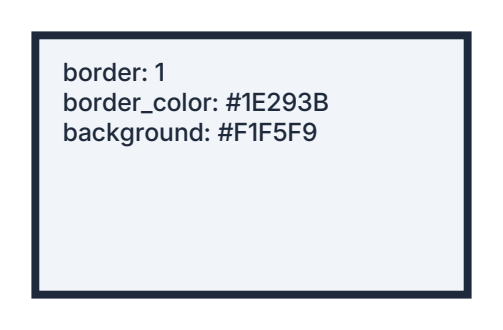
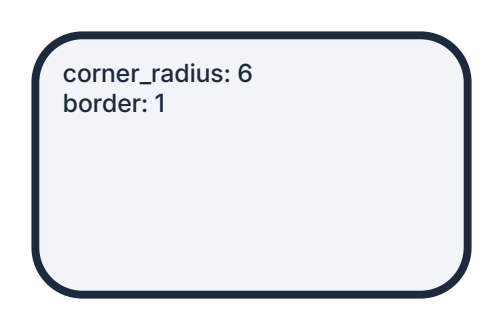
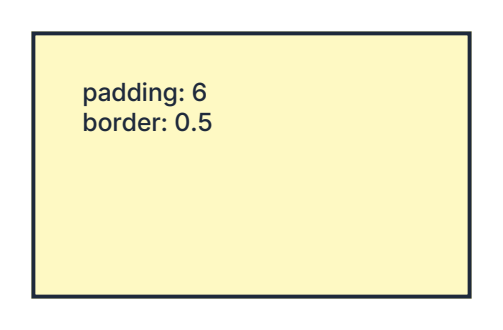
Every block can have a frame. border, padding, margin and corner_radius take
one number or CSS-style values (top right bottom left; corners run TL TR BR BL).
| Key | Meaning |
|---|---|
background, border_color |
Fill and border color: #RRGGBB or inputs:field_id. |
border, padding, margin |
Sizes, from outside in: margin, border, padding, content. |
corner_radius |
Rounded corners; content is clipped to the inside. |
Block types
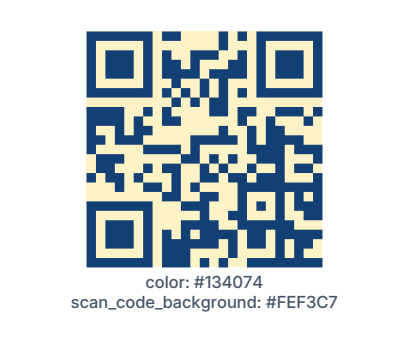
box- a frame and nothing else.text-text(literal, or{...}JavaScript overinputs),font_family,font_size,font_weight,color,align,valign,word_wrap, and an outline (stroke_width,stroke_color,stroke_style). Fonts resolve as described in Assets Overview.image-source(assets:file.pngorinputs:field_id),fit(contain,cover,stretch),align,valign,filters(see Image Filters).pdf-source(assets:file.pdf[:page]orinputs:field_id) andfit.scan_code-data,format,show_value,color,scan_code_background.overlay-file(a.canvasor.grid) or inlinecontent,size_from_overlay(grid overlays only; bool:truemakes the block the size of its grid plus its own margin, border and padding),fit(none,contain,cover,stretch) withalign/valignto size and anchor the overlay inside the block like an image, and atransform(rotate,scale_x,scale_y,skew_x,skew_y,move_x,move_y(mm, applied first),pivot_align,pivot_valign). This is how you rotate or scale a group of blocks.
Scan codes
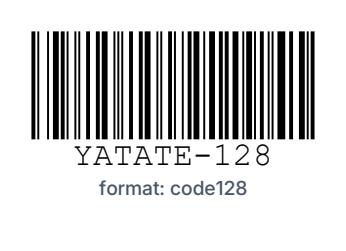
format is one of qr_code (default), code128, code39, code93, gs128, itf,
itf14, itf16, ean13, ean8, ean5, ean2, isbn, upca, upce, telepen,
codabar, rm4scc, postnet, pdf417, data_matrix or aztec. The data must suit the format
(ean13 takes 12 or 13 digits, for example).

Grid layouts
A grid overlay ("layout": "grid", in a .grid file or an overlay block's content)
lays its placements out in rows and columns. See Grid for
filling one from a script.
| Key | Meaning |
|---|---|
width, height |
The grid's own size, mm. Leave one out and that axis is the size of the cells: each track is its largest cell, plus the gaps and the grid's own frame. rem and col tracks are 0 on such an axis. |
size_from_block |
true makes the grid the block's content size, both axes; its own width / height are ignored. |
orows, ocols |
Grid size: orows is the number of lanes, ocols the cells along the flow in each lane (the rows and columns in the default horizontal fill; swapped in a vertical fill). A child past orows x ocols is dropped. |
ocol_sizes, orow_sizes |
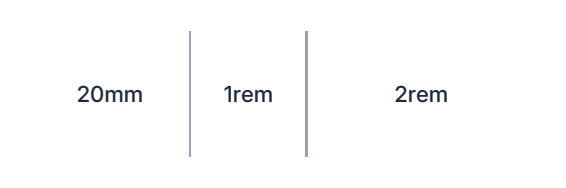
Track sizes, listed from the fill origin, space-separated: 20mm (fixed), 1.5col (multiple of an even column) or 2rem (share of leftover space). |
gap, gap_y |
Space between columns and between rows, mm. |
gap_color, gap_color_y |
Fill the gaps, giving grid lines. gap_color_y defaults to gap_color. A grid sits inside its block's padding, and its lines run out to the block's border. |
fill_origin, fill_axis |
The corner filling begins in (top_left, top_right, bottom_left, bottom_right) and its direction (horizontal, vertical). |
min_orows, min_ocols |
Lanes / columns always kept; trailing ones with no data collapse. |
overflow_orows |
Extra lanes past orows, existing only while they hold data. |
spacing, spacing_y |
Leftover space: weighted, start, center, end, between. |
child_margin, child_border, child_border_color, child_padding, child_corner_radius |
Defaults for children that don't set their own. |
repeating_group_id |
Repeat the placements once per record of a repeating group. |
A grid child adds orow/ocol (an explicit 1-based cell), has_data, cell_align, cell_valign, cell_sizing (none, stretch,
stretch_x, stretch_y) and min_/max_/pref_ widths and heights.